
Show what your company can do on PREMSA
Present your technologies, services and products to customers and business partners worldwide.
See how to create a professional profile so customers can find your company in the directory for the markets you serve.
Adding your company and publishing your offer are free.
Add your company for freeExample company profile
Atelier Montbrun
Fictional company
We turn and grind steel shafts and bushes for machinery. We take on individual projects and regular orders.
- Company number
- SIRET 98999888612345
- Markets served
- France, Poland, Czechia
- Contact languages
- FR, EN
- Orders accepted
- Ongoing work
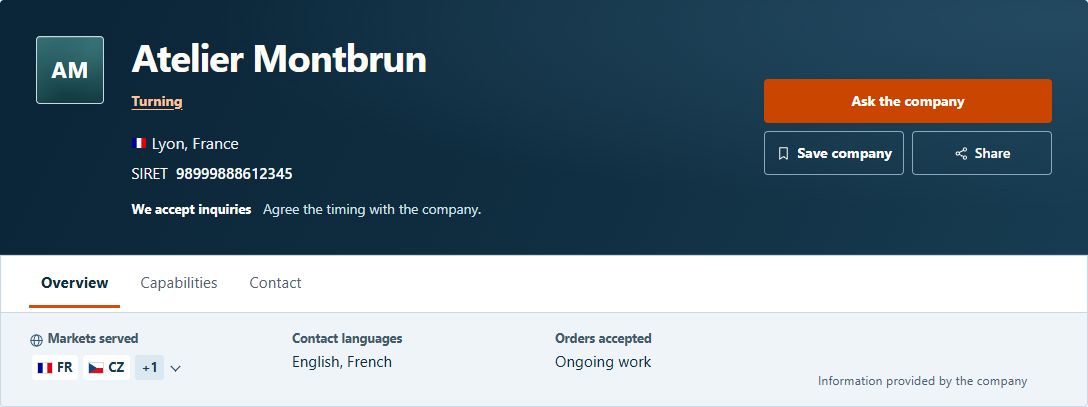
From adding your company to publishing your offer
-
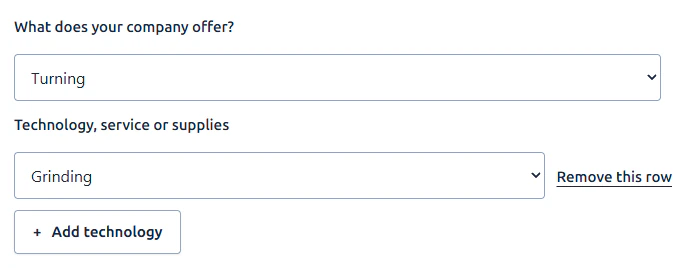
Publish services buyers can find in search Interface language · English -
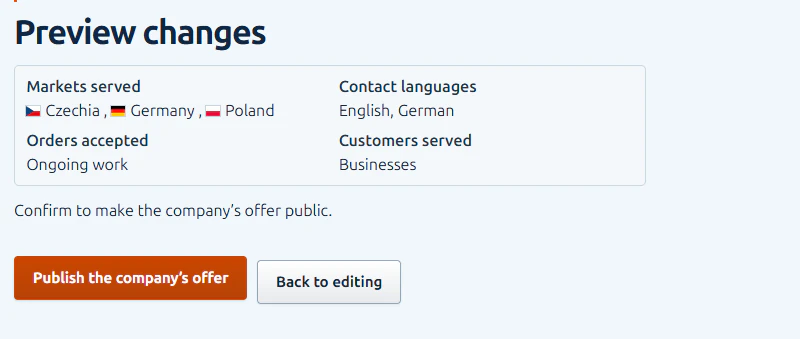
Publish the company’s offer Interface language · English -
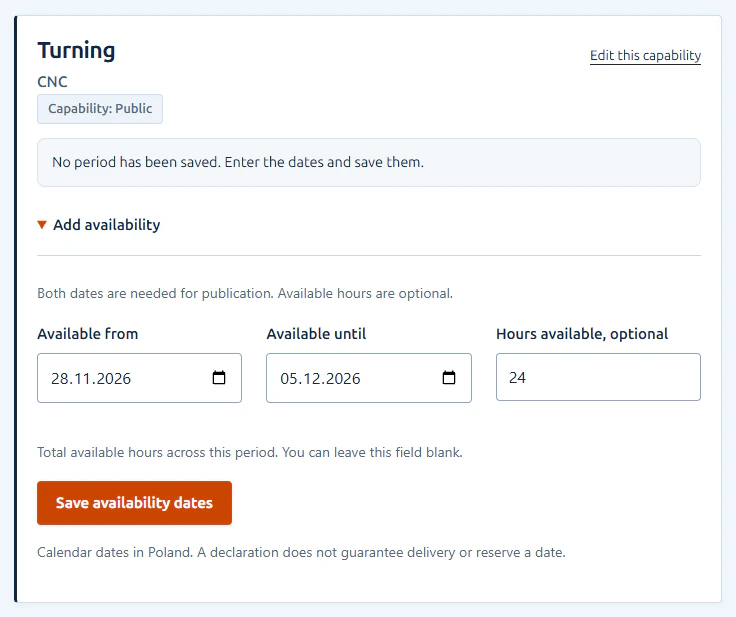
Add availability Interface language · English Set the dates for a published service and add available hours if relevant. Confirm the saved period to show it on your company profile.
Create your company profile
Save company profile
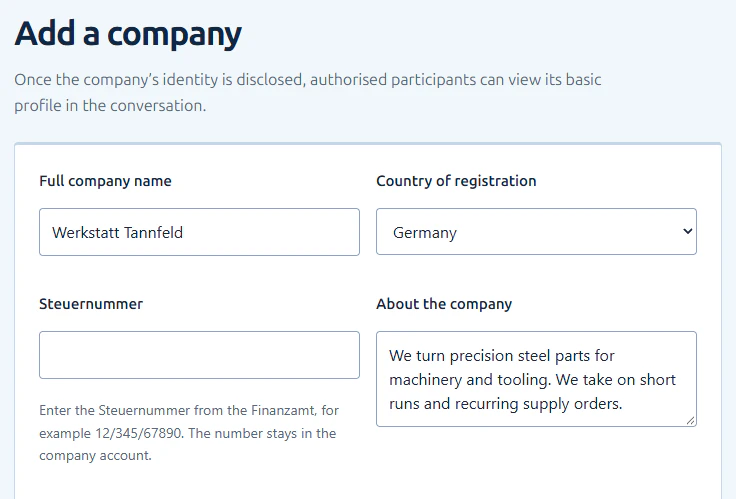
After confirming your email address, enter your company name, country of registration and a description. Confirm that you are authorised to represent the company. At this stage you can save the profile without an identifier or a technology.
Publish the company’s offer
An EU-based company provides the relevant identifier for its country of registration, declares its service markets and a contact language, and publishes at least one capability. Complete the description and confirm directory publication separately. The identifier stays in the company account.
Optional details
Add a logo, headquarters town, project photos or certificates if they help customers evaluate your offer. You can also specify the types of work and customers you serve.
Publish services buyers can find in search
Customers can find your company by the published technology, service or range of supplies and by the country you serve. Enter the relevant details in the offer fields so customers can find and compare them in the directory.
- Manufacturing. Select the process and type, such as 3-axis milling, then add supported materials, maximum dimensions and typical batch sizes where applicable.
- Machine service and automation. List the machines, systems or controllers you work on and the services you provide, such as drive diagnostics or PLC upgrades.
- Supplies. Select product groups, such as spare parts or tools. You can add the brands you carry or typical delivery terms in the description.
- Design and engineering. Say what you design, such as assembly workstations, and what you deliver (a CAD model, production drawings or a bill of materials). State the file formats and how revisions are agreed.
Add distinct services as separate entries so a buyer searching for one can see the relevant scope of work straight away.
If you take ongoing work, select “Ongoing work”. Give typical batch sizes or the scope of recurring work in the description. Agree delivery frequency, how to handle changes and the terms of follow-up orders with the customer.
Show completed projects and certificates
Add a few representative project photos and briefly describe what your company did. Include the process, material or project type where you can share it.
- In “Certificates” you can add several entries. Include the name and scope and, where relevant, the issuer and expiry date.
- Use materials you can show publicly. Agree with the interested party on how to share any confidential drawings or documents.
Show available capacity
Add availability to a published capability that accepts inquiries. Enter the start and end dates and, optionally, the number of hours available. Save and confirm the dates to make them visible in search and on your profile.
Keep availability current as your schedule changes. Confirm the actual delivery date or service appointment with the buyer.
Receive inquiries and reply to customers
The buyer chooses which companies to contact. You will find inquiries addressed to your company in Messages if you have access to them. Review the description, requirements and any attachments.
- Ask for any details you need to quote in the same conversation. Once you have agreed the scope, share your price, lead time and terms.
- Check in company settings that inquiries are enabled. Under “Team and permissions”, an administrator can invite colleagues to help handle company inquiries.
Customers in any country can publish a request after verifying their email address, even without a company profile. An authorised representative of a company with a current offer in the EU supplier directory can reply to an active public request.
Check what buyers see
Open your public profile and try finding your company in “Find a company” by process, service or type of supply. Check how your profile reads on a phone as well.
- Check that your main specialisms and location or service area are easy to find.
- Make sure photos, certificates and availability are up to date, and your team can access the conversations they need.